Accounts list
The Accounts screen lists every company or organization stored in the CRM. From here you search, filter, sort, and manage accounts, including in bulk.
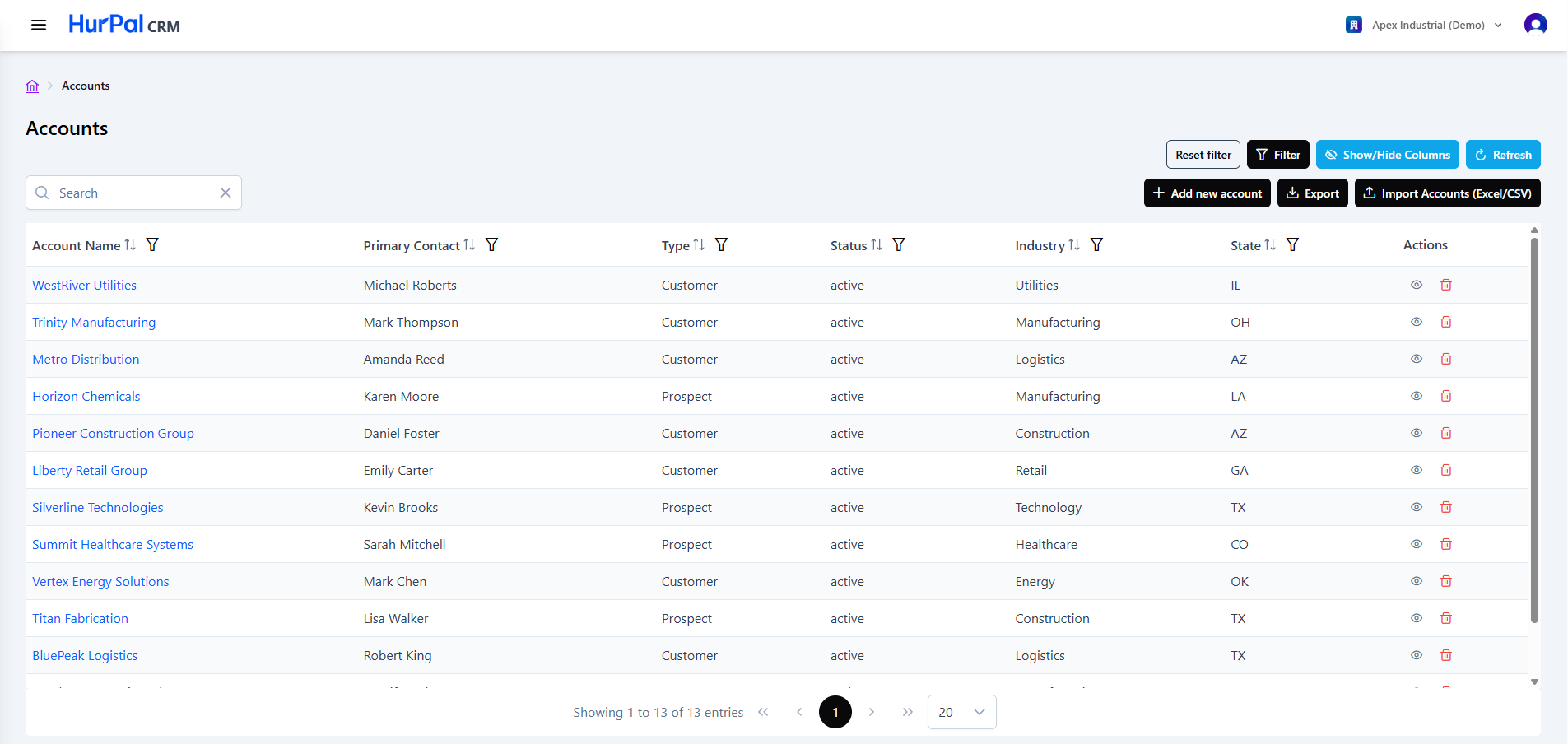
Toolbar
| Control | What it does |
|---|---|
| Search | Free-text search to find accounts by name or other attributes. |
| Reset filter | Clears all applied filters. |
| Filter | Opens the advanced filtering options for the list. |
| Show or hide columns | Chooses which columns are visible in the table. |
| Refresh | Reloads the list with the latest data. |
| Add new account | Opens a form to create an account manually. |
| Export | Exports the current list. |
| Import Accounts | Bulk-imports accounts from an Excel or CSV file. |
tip
Enrich with AI When you add an account, HurPal CRM can suggest the account's industry from its name. If a suggestion is not available, you can set the industry yourself.
Accounts table
The table lists accounts across the columns below. Most columns can be sorted and filtered.
| Column | Description |
|---|---|
| Account Name | The account name. Click it to open the account detail page. |
| Primary Contact | The main contact person at the account. |
| Type | The account classification, for example Customer. |
| Status | The account's current status: active, inactive, or on hold. |
| Industry | The industry the account belongs to, for example Technology or Retail. |
| State | The state the account is located in. |
| Actions | Row actions: view (eye) to open the account, and delete (trash) to remove it. |
Pagination
Below the table:
- A summary shows the current range and total record count, for example "Showing 1 to 13 of 13 entries".
- Page controls (first, previous, numbered pages, next, last) move through the results.
- A page-size selector controls how many rows appear per page.
Adding an account
Click Add new account and complete the form. An account name is required. You can also set the sales owner, type, industry, address, and other company details.
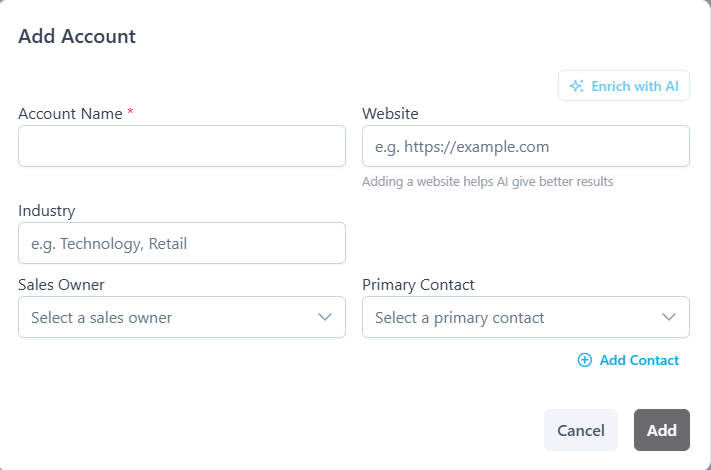
Once saved, the account opens on its detail page, where you can add contacts and opportunities.