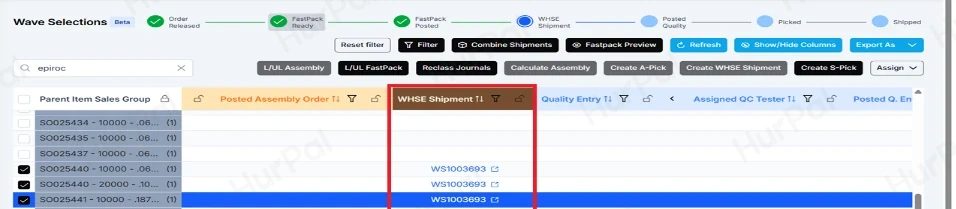
Combine sales orders into one shipment
Use this to ship two or more sales orders together on a single warehouse shipment when they are going to the same address.
Stages in Wave Selections, in order: Order Released → FastPack Ready → FastPack Posted → WHSE Shipment → Posted Quality → Picked → Shipped. Stages in bold are the ones this guide covers.
- All orders must have the same shipping address.
- All orders must use the same Shipping Agent Code and Shipment Method Code. You can correct these in step 10 if they differ.
-
Create the sales orders
In Business Central, go to Sales Orders and create the orders you want to ship together.
-
Check the shipping details on each order
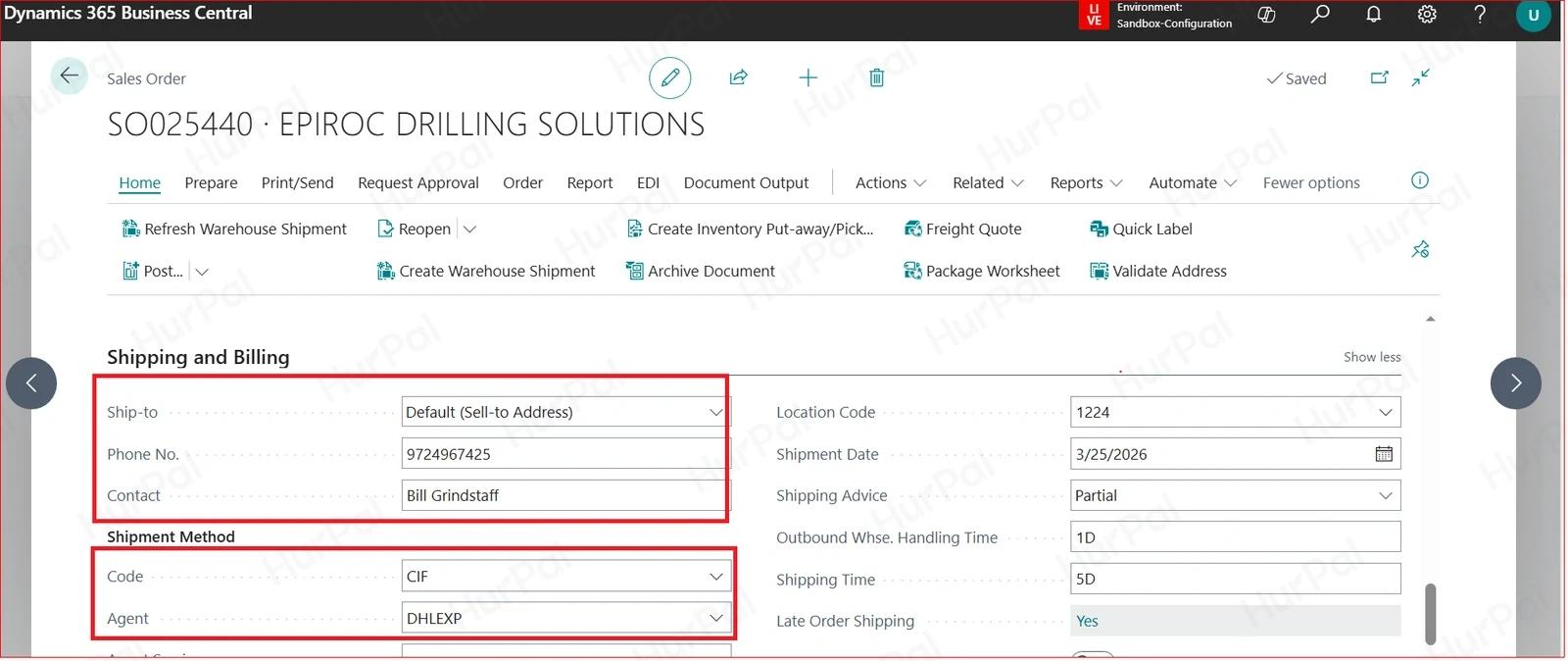
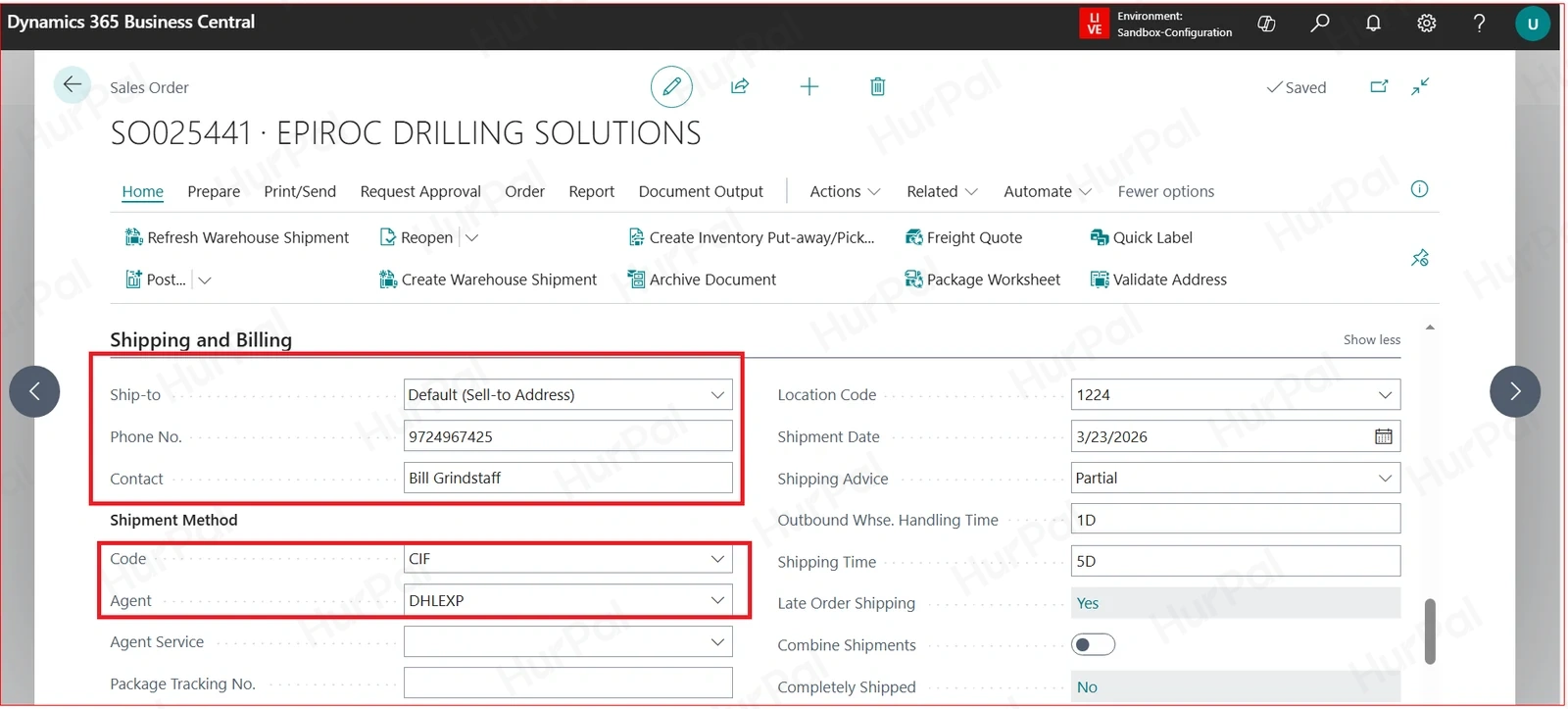
On the Shipping and Billing tab, confirm the ship-to address is the same on every order. Note the Shipment Method Code and Agent.
-
Open Wave Selections
In the FastPack portal, go to Portal > Wave Selections (Beta).
-
Load the FastPack
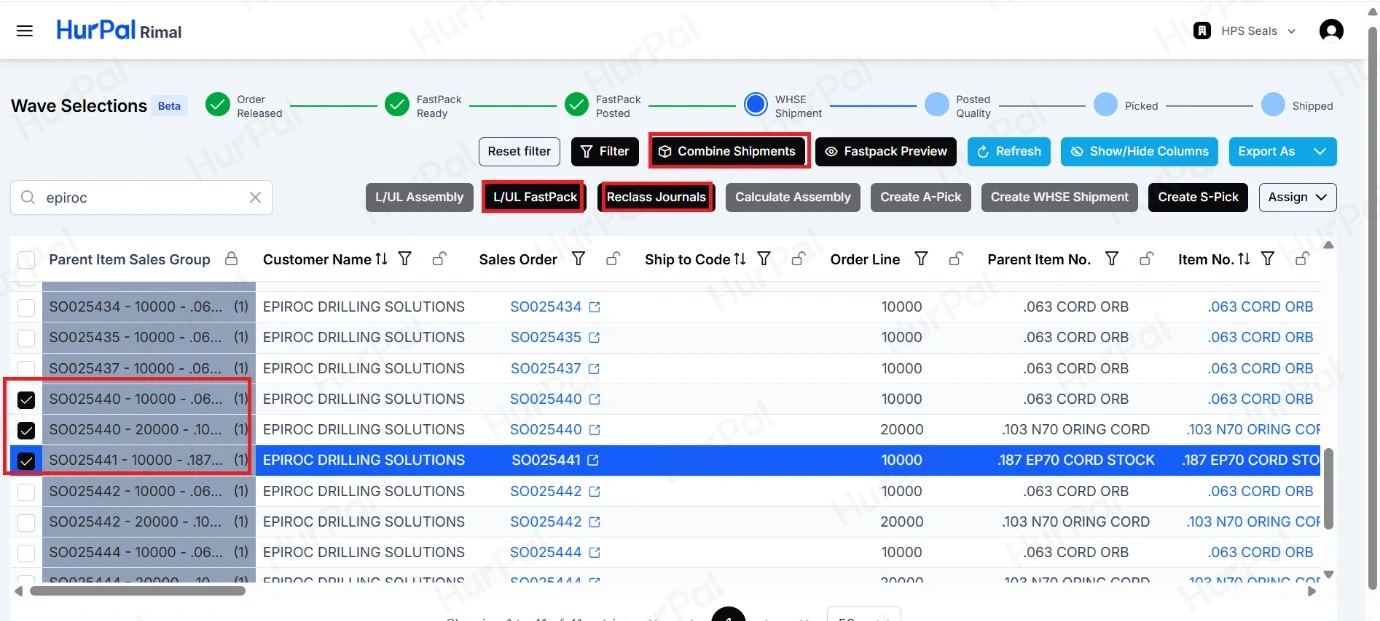
Click L/UL FastPack.
-
Open the reclass journal
Click Reclass Journals.
-
Post the reclassification
Post the reclassification using R2S.
-
Post the package
Post the package from the Open FastPack page.
-
Select the orders
Return to Wave Selections and select the lines for each sales order you want to combine.
-
Start the combine
Click Combine Shipments. The Combine Shipment window opens.
-
Match the shipping codes
Check that Shipping Agent and Shipment Method are the same for every order. If they differ, update them here.
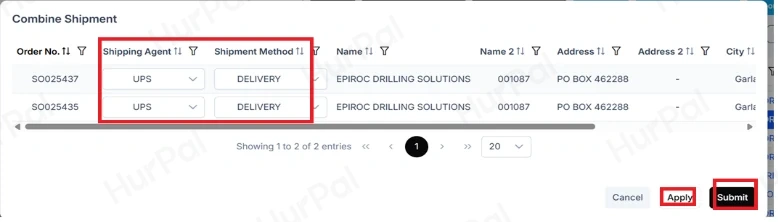
- Apply and submit
Click Apply, then Submit.
Every selected order now shows the same number in the WHSE Shipment column.