Lead detail
The lead detail page shows the full profile of a single lead. You open it by clicking a lead's name in the leads list. The page holds the header, tabbed navigation, qualification and business details, and record history.
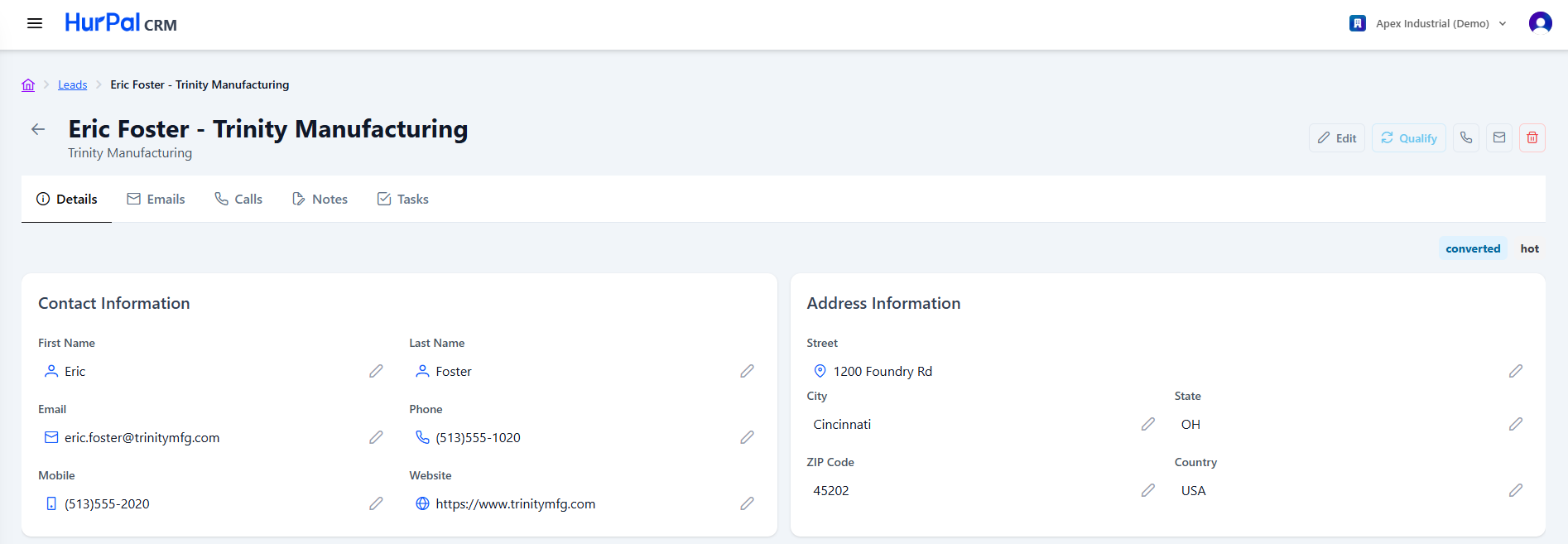
Header
| Element | Description |
|---|---|
| Back arrow | Returns to the leads list. |
| Lead Name and Company | The lead's name with the associated company shown underneath. |
| Edit | Opens the lead in edit mode. |
| Qualify | Moves the lead through qualification and toward conversion. |
| Phone icon | Starts a call to the lead. |
| Envelope icon | Composes an email to the lead. |
| Delete (trash) | Deletes the lead. |
| Status badge | Shows the lead's current status, for example converted, in the top-right of the content area. |
| Lead Rating badge | Shows the lead's qualification rating (for example hot), next to the status badge. |
Tabs
- Details: the default view.
- Emails: email correspondence with the lead.
- Calls: logged calls with the lead.
- Notes: notes added to the lead.
- Tasks: tasks associated with the lead.
Contact information
Editable fields for reaching the lead: First Name, Last Name, Email, Phone, Mobile, and Website. Fields with no value are shown as "N/A".
Address information
Editable address fields: Street, City, State, ZIP Code, and Country.
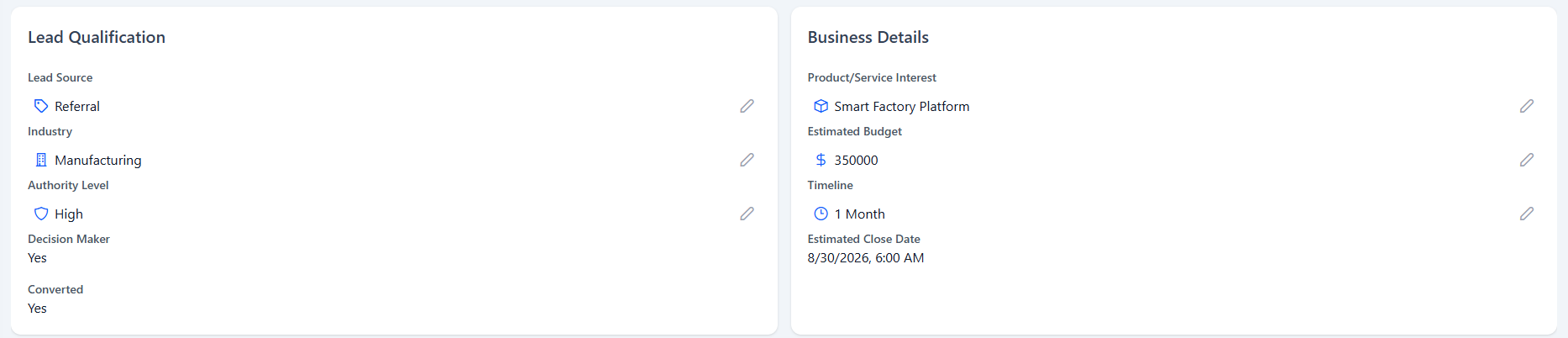
Lead qualification
The qualification panel records how well the lead fits your criteria.
| Field | Description |
|---|---|
| Lead Source | Where the lead came from, for example Referral. |
| Industry | The industry of the lead's company. |
| Authority Level | The lead contact's level of purchasing authority. |
| Decision Maker | Whether the lead is a decision maker (Yes or No). |
| Converted | Whether the lead has been converted (Yes or No). |
Business details
| Field | Description |
|---|---|
| Product or Service Interest | What the lead is interested in. |
| Estimated Budget | The budget figure associated with the opportunity. |
| Timeline | The expected purchasing timeline, for example 1 Month. |
| Estimated Close Date | The anticipated close date. |
Activity and dates
A footer panel shows the record history:
- Created Date and Created By
- Last Contacted
- Updated By and Updated Date
- Next Follow Up
Qualifying the lead
When the lead is ready to become a deal, click Qualify to open the qualification workflow. See Qualifying a lead for the full process.