Leads list
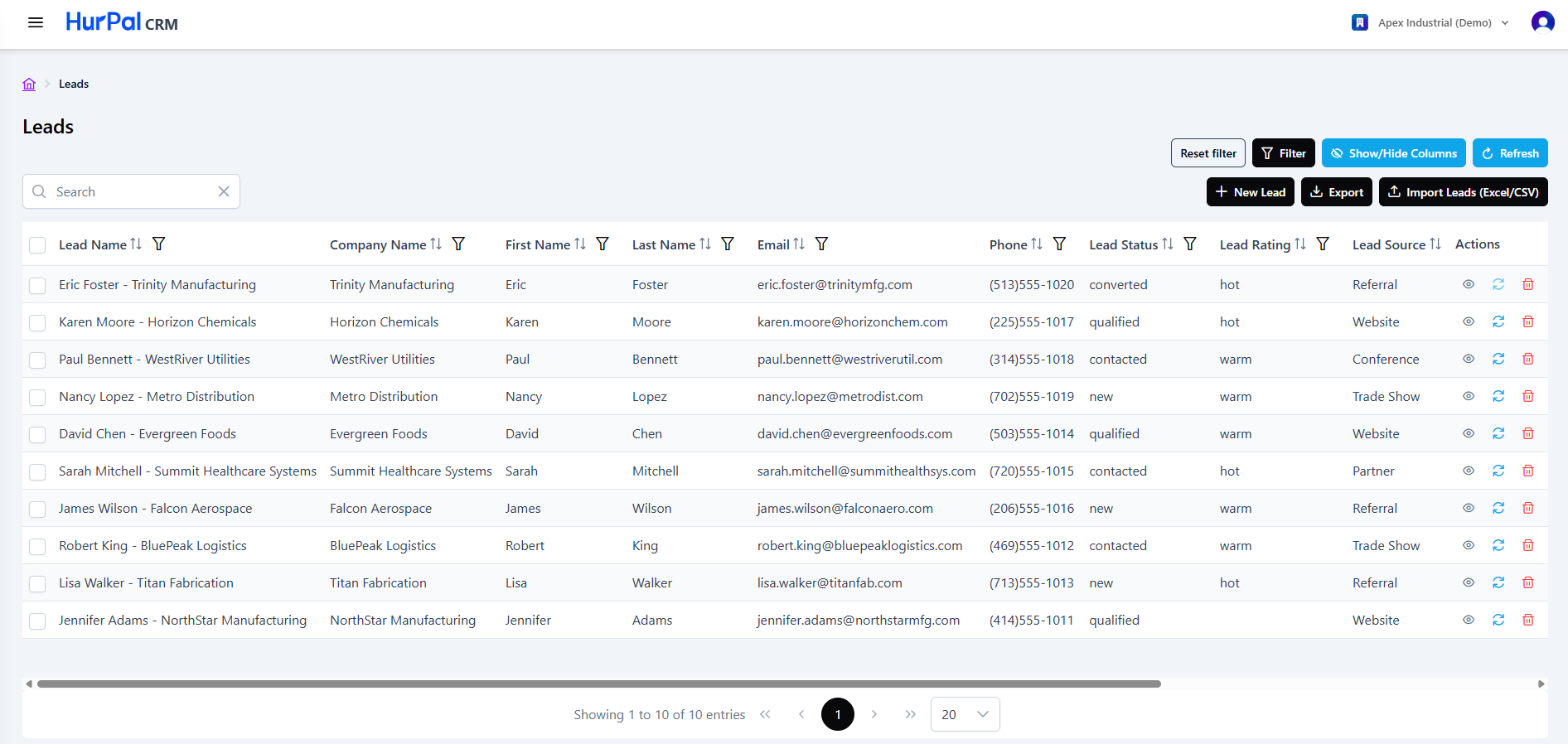
The Leads screen lists every lead captured in the CRM. A lead is a new enquiry that has not yet been qualified into a deal. This screen follows the same layout as the accounts and contacts lists.
Toolbar
| Control | What it does |
|---|---|
| Search | Free-text search to find leads. |
| Row checkboxes | Select one or more leads to act on in bulk. The header checkbox selects all rows. |
| Reset filter | Clears all applied filters. |
| Filter | Opens the advanced filtering options for the list. |
| Show or hide columns | Chooses which columns are visible in the table. |
| Refresh | Reloads the list with the latest data. |
| New Lead | Opens a form to create a lead manually. |
| Export | Exports the current list. |
| Import Leads | Bulk-imports leads from an Excel or CSV file. |
Leads table
The table lists leads across the columns below. Most columns can be sorted and filtered, and the table scrolls sideways to fit them all.
| Column | Description |
|---|---|
| Lead Name | The name or label of the lead. Click it to open the lead detail page. |
| Company Name | The company associated with the lead. |
| First Name and Last Name | The name of the individual lead contact. |
| The lead's email address. | |
| Phone | The lead's phone number. |
| Lead Status | The lead's current stage, for example new or converted. |
| Lead Rating | The qualification rating of the lead. |
| Lead Source | Where the lead came from. |
| Actions | Row actions: view (eye), qualify (circular arrow), and delete (trash). |
Pagination
Below the table:
- A summary shows the current range and total record count, for example "Showing 1 to 10 of 10 entries".
- Page controls (first, previous, numbered pages, next, last) move through the results.
- A page-size selector controls how many rows appear per page.
Adding a lead
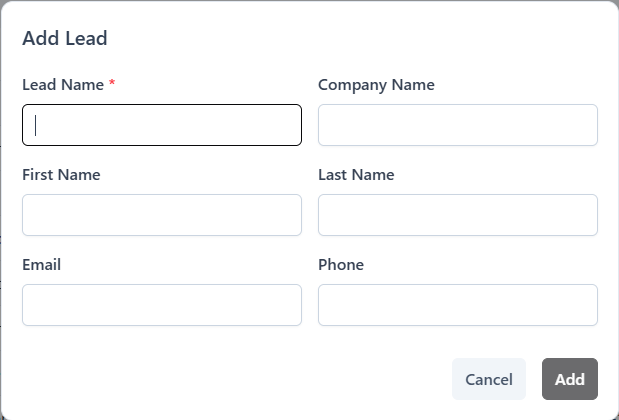
Click New Lead and complete the form. A lead name is required. You can also set contact details, company name, and other lead information.
Next steps
Open a lead to review and edit its full profile on the lead detail page. When a lead is ready to become a deal, qualify it to create the linked account, contact, and opportunity.