Opportunity detail
The opportunity detail page shows the full profile of a single deal. You open it from the opportunities list, an account's opportunities list, or from elsewhere in the CRM. The page tracks the pipeline stage, key deal metrics, and detailed information.
Header
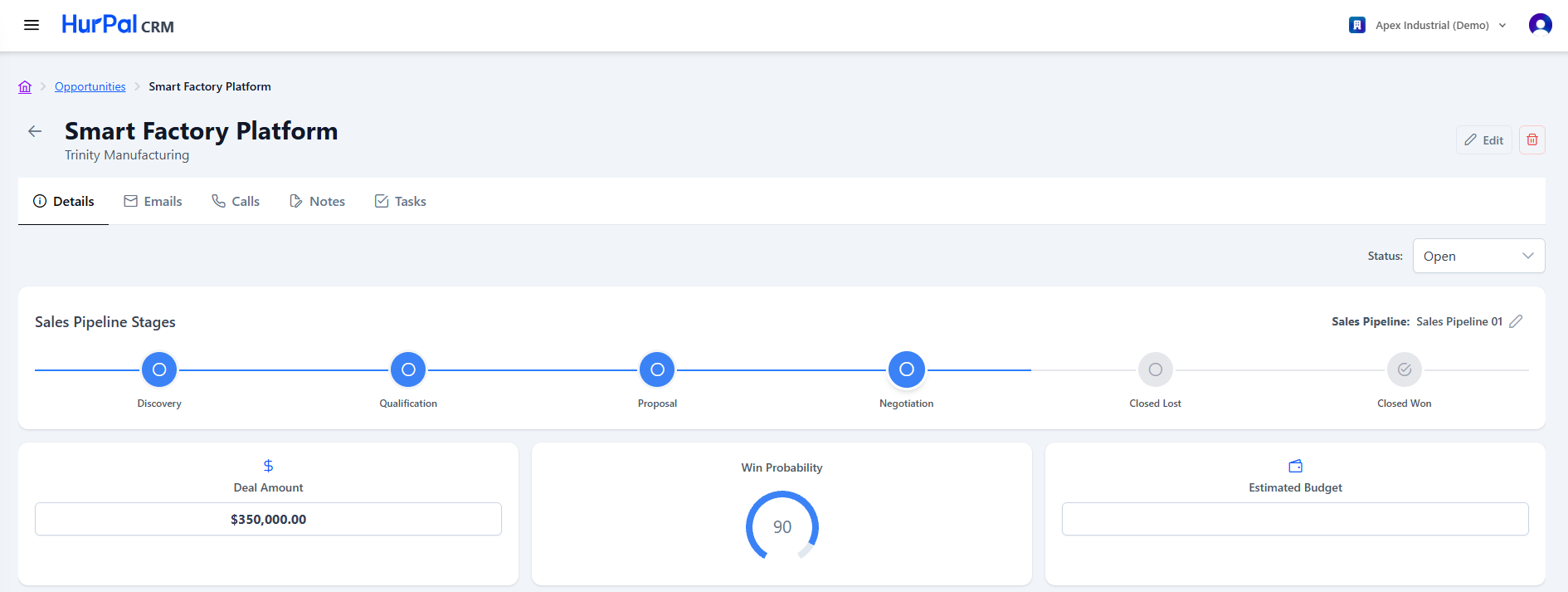
| Element | Description |
|---|---|
| Back arrow | Returns to the previous screen. |
| Opportunity Name and Account | The opportunity name with the associated account shown underneath. |
| Cancel | Discards unsaved changes. |
| Save | Saves changes to the opportunity. |
| Delete (trash) | Deletes the opportunity. |
| Status dropdown | Sets the opportunity's overall status, for example Open. |
Tabs
- Details: the default view.
- Emails: email correspondence related to the opportunity.
- Calls: logged calls related to the opportunity.
- Notes: notes added to the opportunity.
- Tasks: tasks associated with the opportunity.
Sales pipeline stages
A horizontal stepper shows progress through the pipeline. You choose which pipeline to use with the Sales Pipeline dropdown. A typical pipeline runs:
Discovery, Qualification, Proposal, Negotiation, then Closed Lost or Closed Won.
The active stage is highlighted. Click a stage to update the opportunity's position, then use the Save button in this panel to apply the change.
The stages you see depend on the pipeline selected. Pipelines and their stages are configured by administrators, so your list may differ from the example above.
Key metrics
Three summary cards sit near the top of the page:
- Deal Amount: the opportunity's monetary value (editable).
- Win Probability: a circular gauge showing the likelihood of winning the deal.
- Estimated Budget: the prospect's estimated budget (editable).
Opportunity information
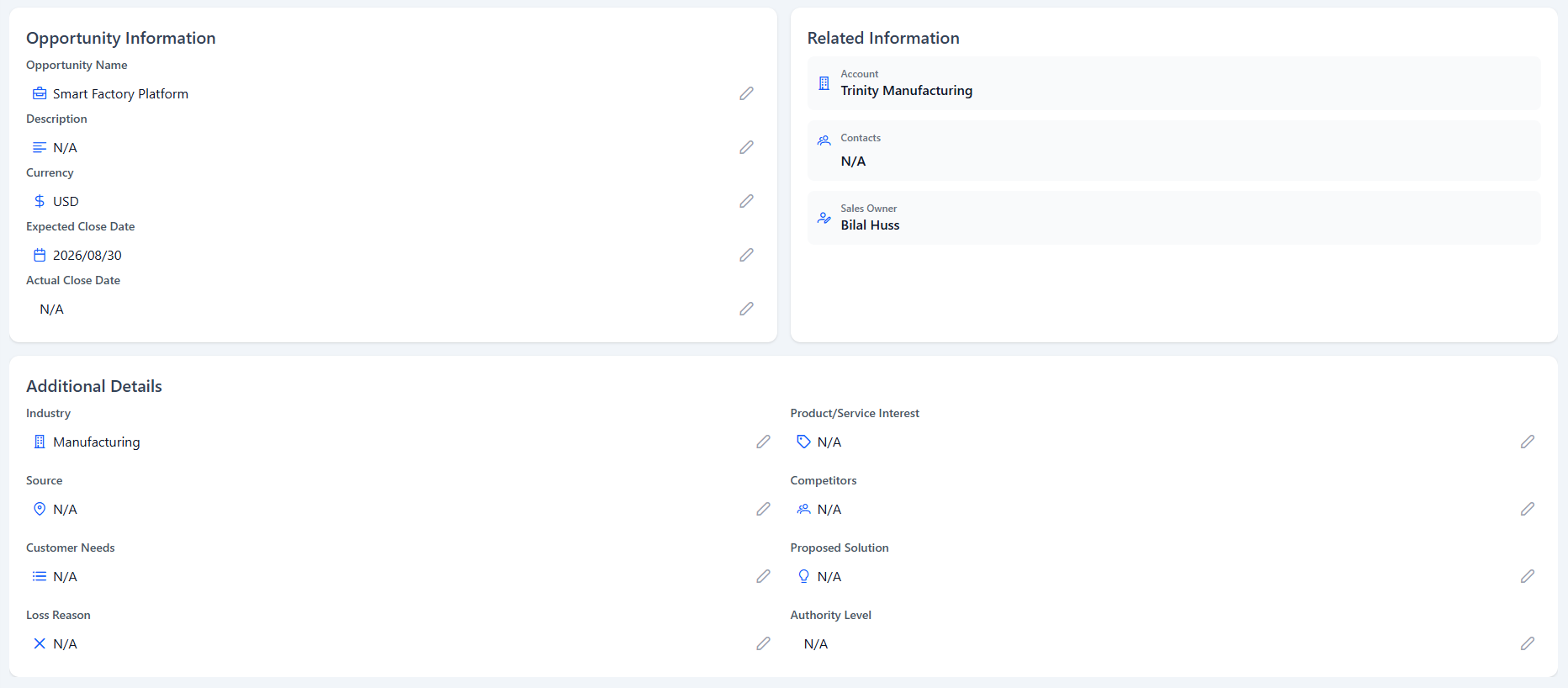
Editable fields describing the deal:
- Opportunity Name
- Description
- Currency (for example USD)
- Expected Close Date (a date picker, format YYYY-MM-DD)
- Actual Close Date (a date picker, format YYYY-MM-DD)
Related information
A read-only summary of the linked records:
- Account: the associated account.
- Contacts: the contacts tied to this opportunity.
- Sales Owner: the user responsible for the opportunity.
Additional details
Further editable fields, including Industry, Product or Service Interest, Source, and Competitors.