Assign a customer and set up their workflow
Use this after a customer has joined Reem. You’ll assign the customer to a Reem user, then choose the dunning sequence and stages that decide which reminders they receive.
The customer must already be created in Business Central and visible in Reem. See Create and invite a customer.
Part 1: Assign the customer
-
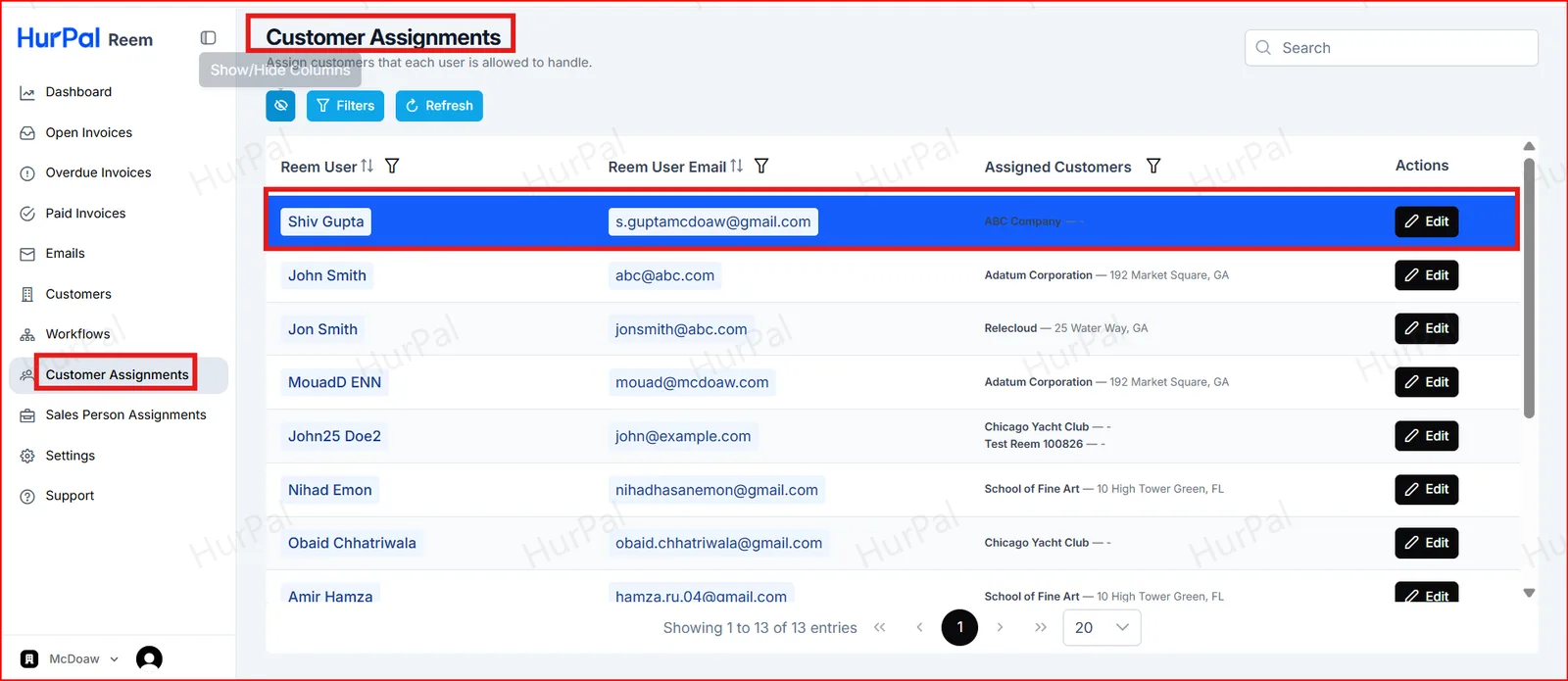
Open Customer Assignments
In the Reem portal, open Customer Assignments. The page lists each Reem user and the customers they are allowed to handle.
-
Assign the customer
Find the Reem user, click Edit, and assign the customer.
Part 2: Set up the workflow
-
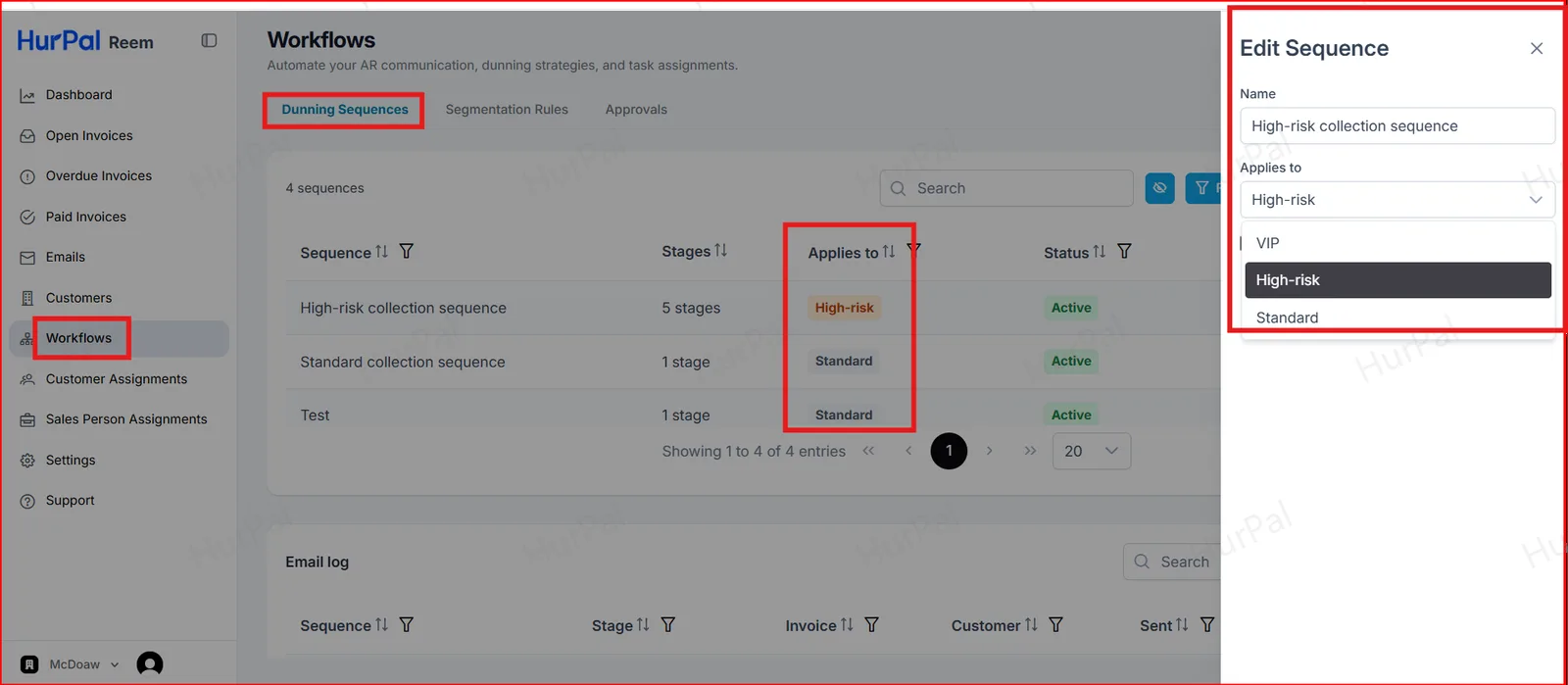
Assign the sequence
Open Workflows and select the Dunning Sequences tab. Click Edit on a sequence and choose which customers it Applies to: VIP, High-risk or Standard.
-
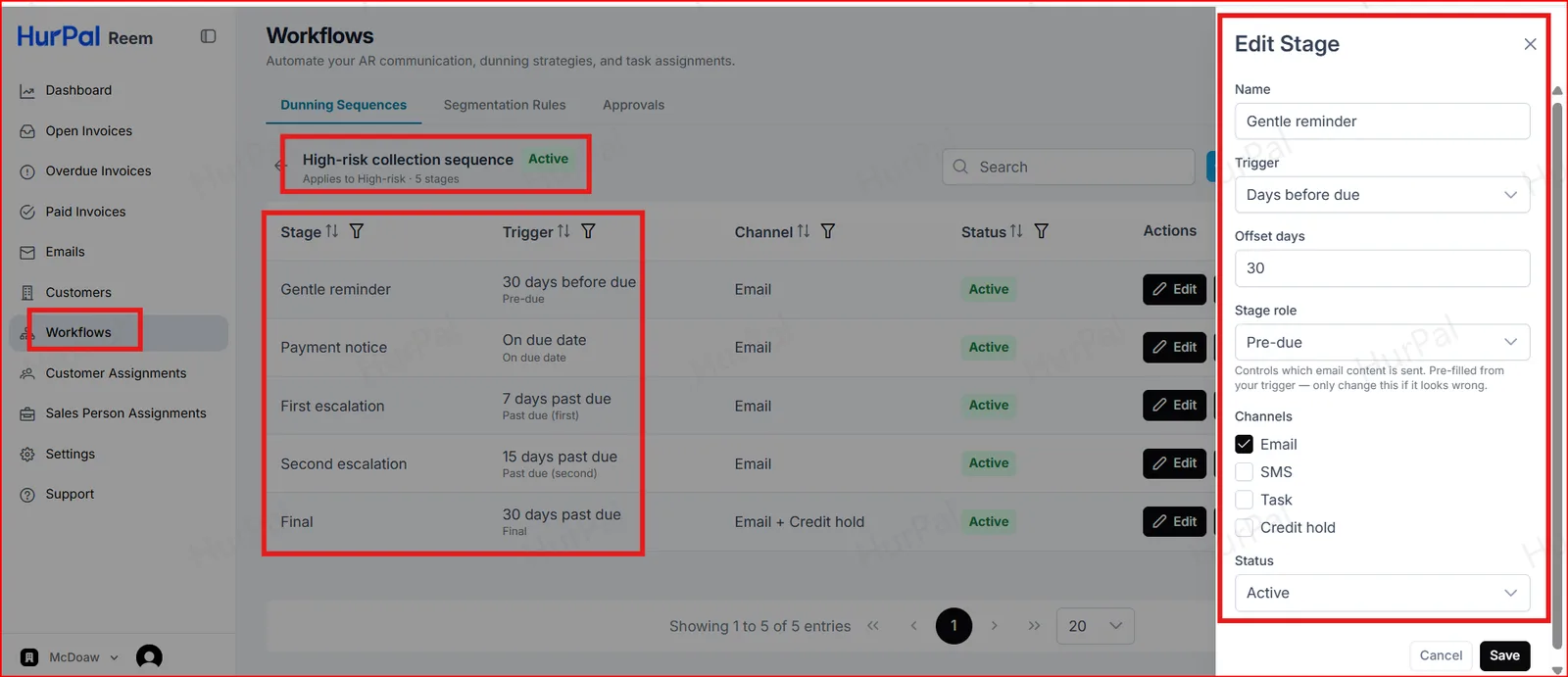
Configure the stages
Open the sequence to see its stages. Click Edit on a stage to set its Trigger, Offset days, Stage role, Channels and Status.
For example, a Gentle reminder stage can be triggered 30 days before the due date and sent by email.