Verify a payment
Use this to confirm a payment was recorded. Check the details in Reem, then check that Business Central shows the updated remaining amount and a closed invoice.
Have the invoice number ready. See Pay an invoice as a customer.
-
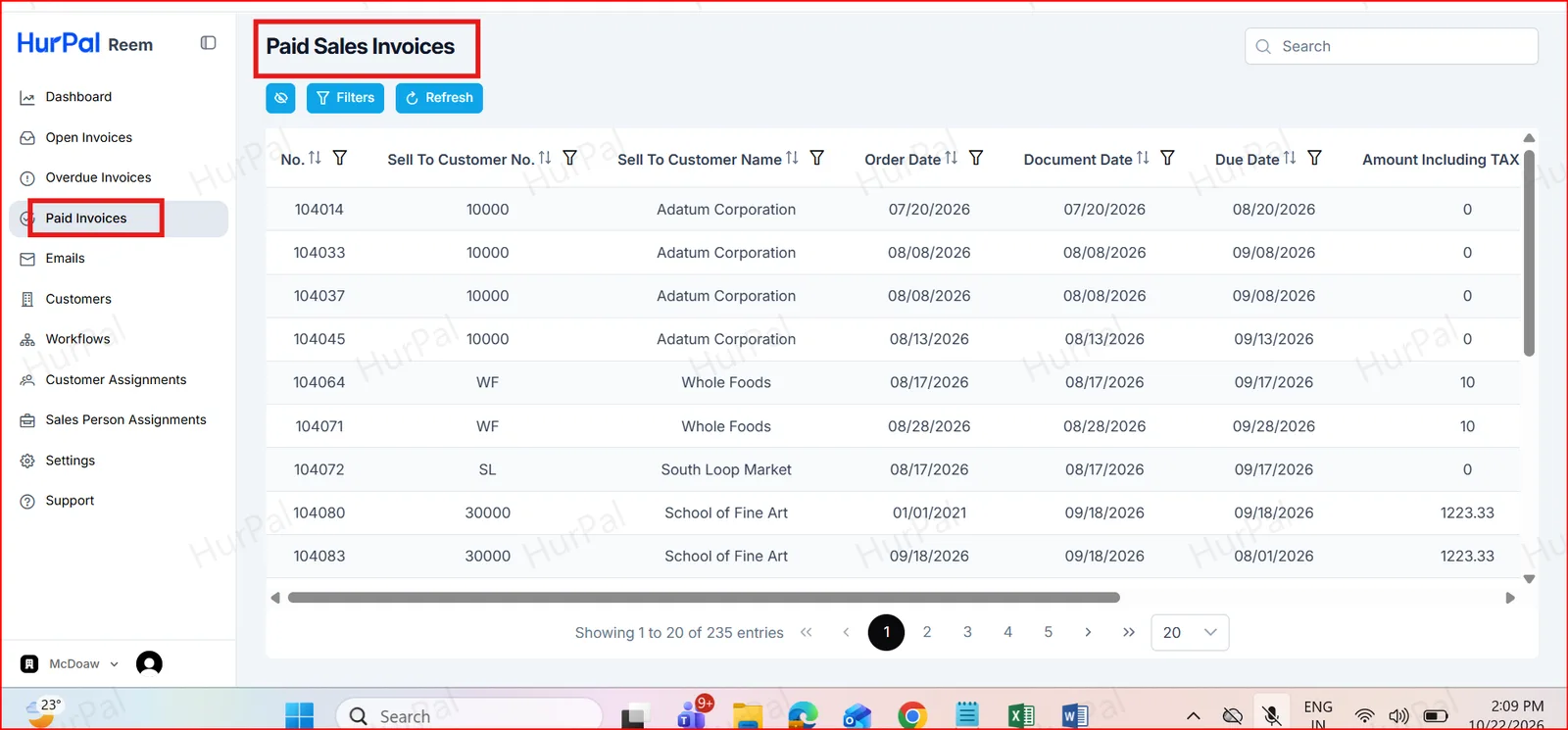
Check Paid Invoices in Reem
In the Reem portal, open Paid Invoices to see the details of the completed payment.
-
Find the invoice in Business Central
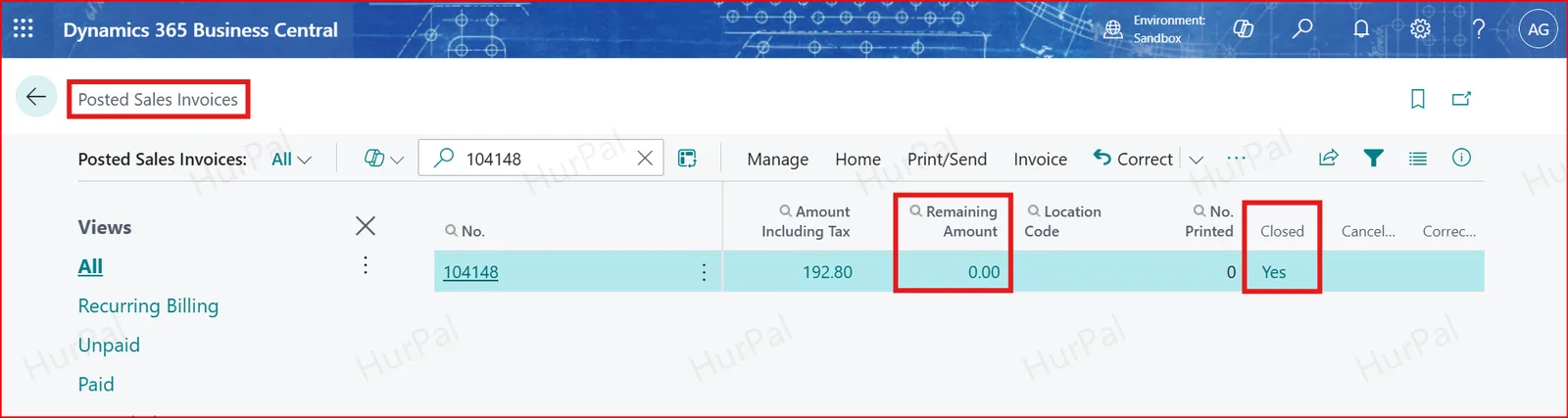
Open Business Central, go to Posted Sales Invoices and search by invoice number.
-
Check the remaining amount and status
Confirm that Remaining Amount has been updated, and that Closed shows Yes once the full outstanding amount has been paid.
The customer can access the Reem portal, receive payment notifications and statements, view outstanding invoices, and make payments. Payment details are available in the portal, and the remaining amount and invoice status can be verified in Business Central.