Feature Management
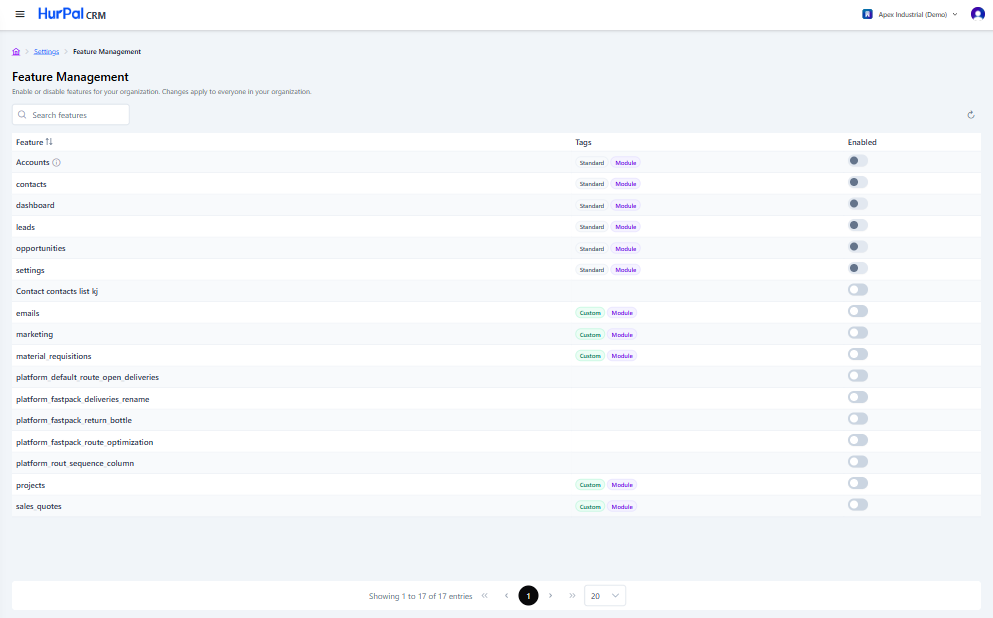
Feature Management is where administrators turn features on or off for the whole organization. Toggling a feature here applies immediately to every user in the organization, not just your own account. You reach it from Settings > Feature Management.
Toolbar
| Control | What it does |
|---|---|
| Search features | Free-text search to find a feature by name. |
| Refresh | Reloads the list with the latest data. |
Features table
| Column | Description |
|---|---|
| Feature | The feature's name. Some features show an info icon with additional details. |
| Tags | Standard (built into the CRM, for example Accounts or Dashboard) or Custom (for example Emails or Marketing), plus a Module tag. Some features have no tags. |
| Enabled | A toggle to turn the feature on or off for the organization. |
Standard features such as Accounts, Contacts, Dashboard, Leads, Opportunities, and Settings are enabled by default. Custom features and internal platform features are disabled by default and can be turned on as needed.