Opportunity
The Opportunity settings page manages pipeline stage groups: the sets of stages an opportunity moves through, from an early stage like Lead or Lead In through to a won or lost outcome. You reach it from Settings > Opportunity.
Pipeline Stage Group
The Opportunities tab lists every pipeline stage group.
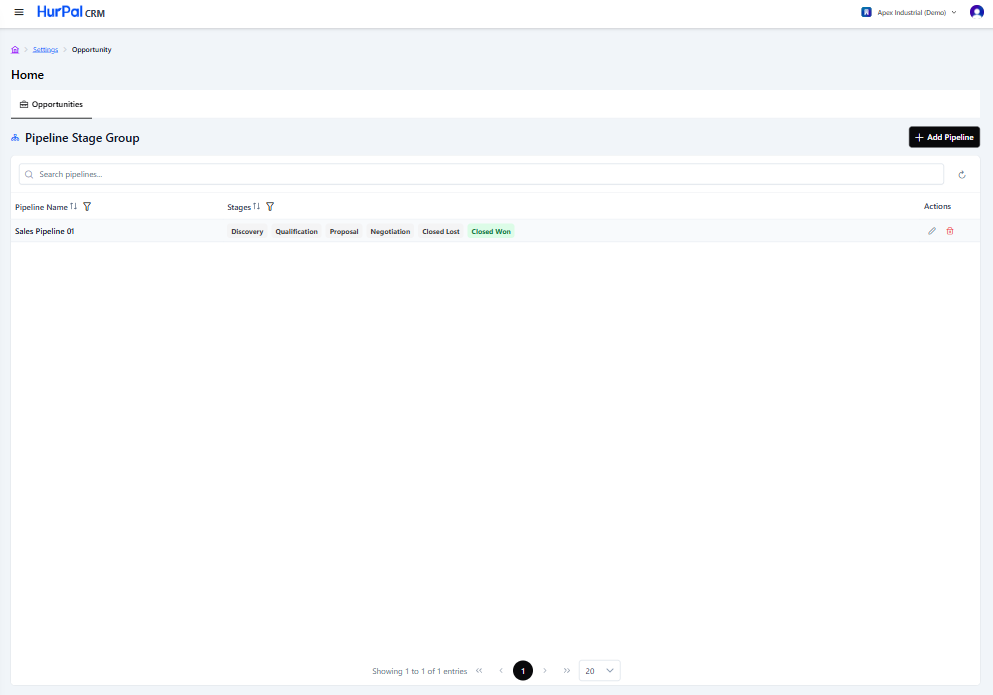
Toolbar
| Control | What it does |
|---|---|
| Search pipelines | Free-text search to find a pipeline by name. |
| Refresh | Reloads the list with the latest data. |
| Add Pipeline | Opens a form to define a new pipeline stage group. |
Pipeline table
| Column | Description |
|---|---|
| Pipeline Name | The pipeline's name, for example Sales Pipeline. |
| Stages | The ordered stages in the pipeline, shown as badges. The won stage is highlighted in green. |
| Actions | Edit (pencil) or delete (trash) the pipeline. |
Editing a pipeline stage group
Click the edit (pencil) icon on a pipeline, or Add Pipeline to create one. The Edit Pipeline Stage Group dialog opens with:
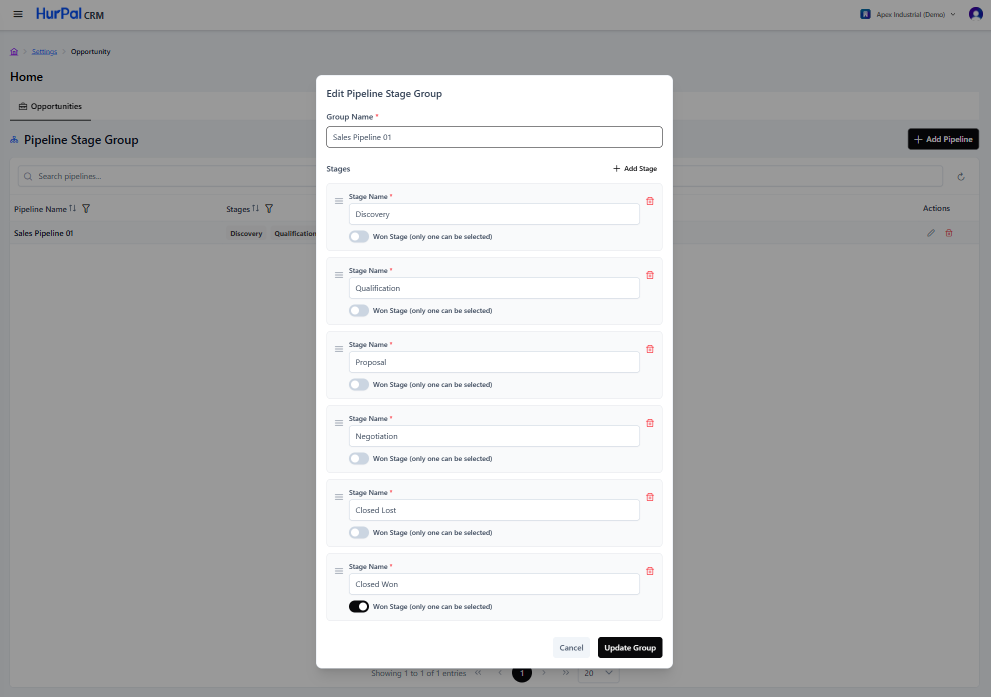
- Group Name: the pipeline's name.
- Stages: the ordered list of stages. Each stage has:
- A drag handle to reorder it.
- A Stage Name field.
- A Won Stage toggle. Only one stage in the group can be marked as the won stage.
- A delete (trash) icon to remove the stage.
- Add Stage: adds a new stage to the end of the list.
Click Update Group to save changes, or Cancel to discard them.
tip
Every pipeline needs exactly one stage marked as Won Stage. This is the stage an opportunity reaches when it is marked won.